# Pillbox
Published: September 15, 2025
Version: ^2.4.0
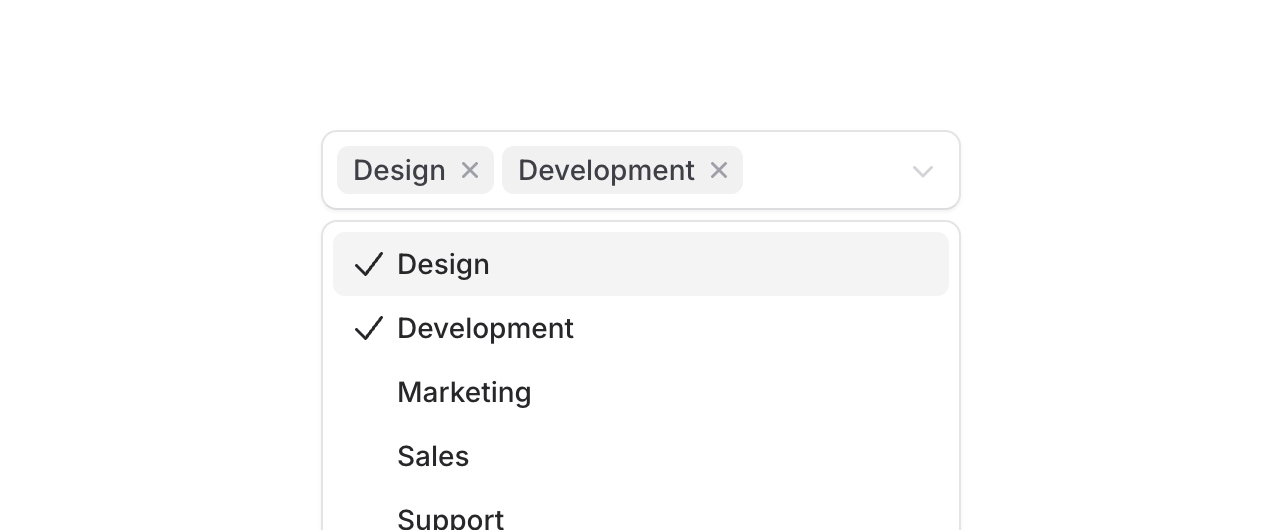 Introducing **Pillbox**, a select component that displays selected items as removable pills right inside the input area. Perfect for tagging systems, skill selectors, or any multi-select scenario where you want selected values to be front and center.
Unlike traditional multi-selects that hide selections in a dropdown, Pillbox shows everything at a glance with each selection becoming a removable pill that expands the input area as needed.
```blade
Design
Development
Marketing
```
## Search through options
Introducing **Pillbox**, a select component that displays selected items as removable pills right inside the input area. Perfect for tagging systems, skill selectors, or any multi-select scenario where you want selected values to be front and center.
Unlike traditional multi-selects that hide selections in a dropdown, Pillbox shows everything at a glance with each selection becoming a removable pill that expands the input area as needed.
```blade
Design
Development
Marketing
```
## Search through options
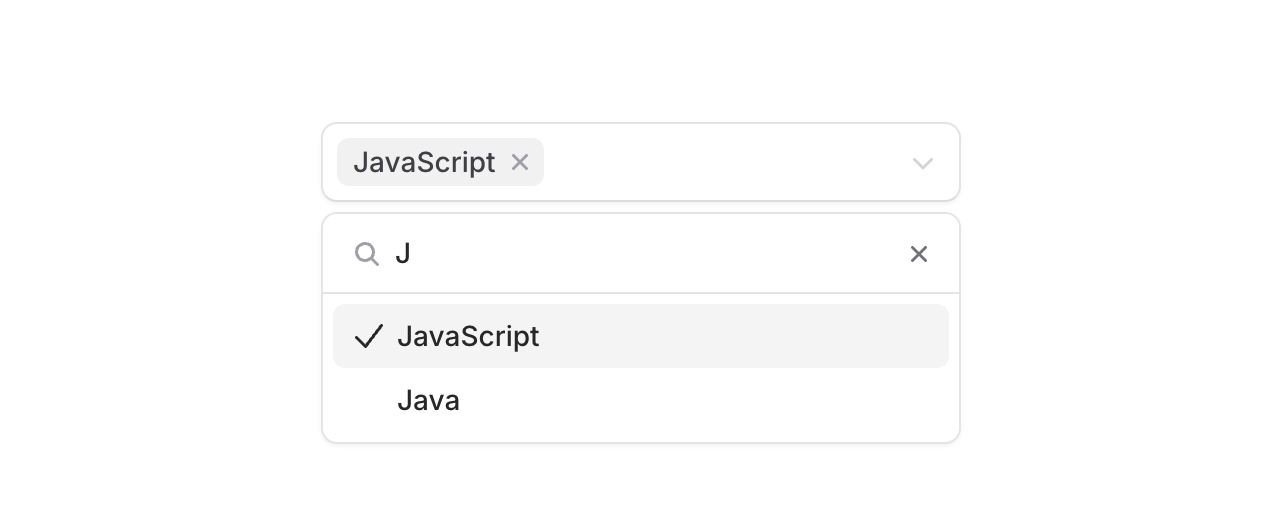 Add the `searchable` prop to filter through large lists. The search input appears right in the dropdown, making it easy to find exactly what you're looking for.
```blade
JavaScript
TypeScript
PHP
```
## The details
We built Pillbox to handle the real-world complexity of multi-select inputs:
**Visual feedback**: Each pill has its own remove button, making it clear how to deselect individual items. The input area expands naturally as you add more pills.
**Accessible by default**: Screen readers announce selected items, available options, and state changes. ARIA attributes are handled automatically.
**Custom content**: Options aren't limited to text. Add icons or custom HTML to make options more recognizable.
---
[Explore the Pillbox documentation →](https://fluxui.dev/components/pillbox)
Add the `searchable` prop to filter through large lists. The search input appears right in the dropdown, making it easy to find exactly what you're looking for.
```blade
JavaScript
TypeScript
PHP
```
## The details
We built Pillbox to handle the real-world complexity of multi-select inputs:
**Visual feedback**: Each pill has its own remove button, making it clear how to deselect individual items. The input area expands naturally as you add more pills.
**Accessible by default**: Screen readers announce selected items, available options, and state changes. ARIA attributes are handled automatically.
**Custom content**: Options aren't limited to text. Add icons or custom HTML to make options more recognizable.
---
[Explore the Pillbox documentation →](https://fluxui.dev/components/pillbox)