# OTP Input
Published: November 25, 2025
Version: ^2.8.0
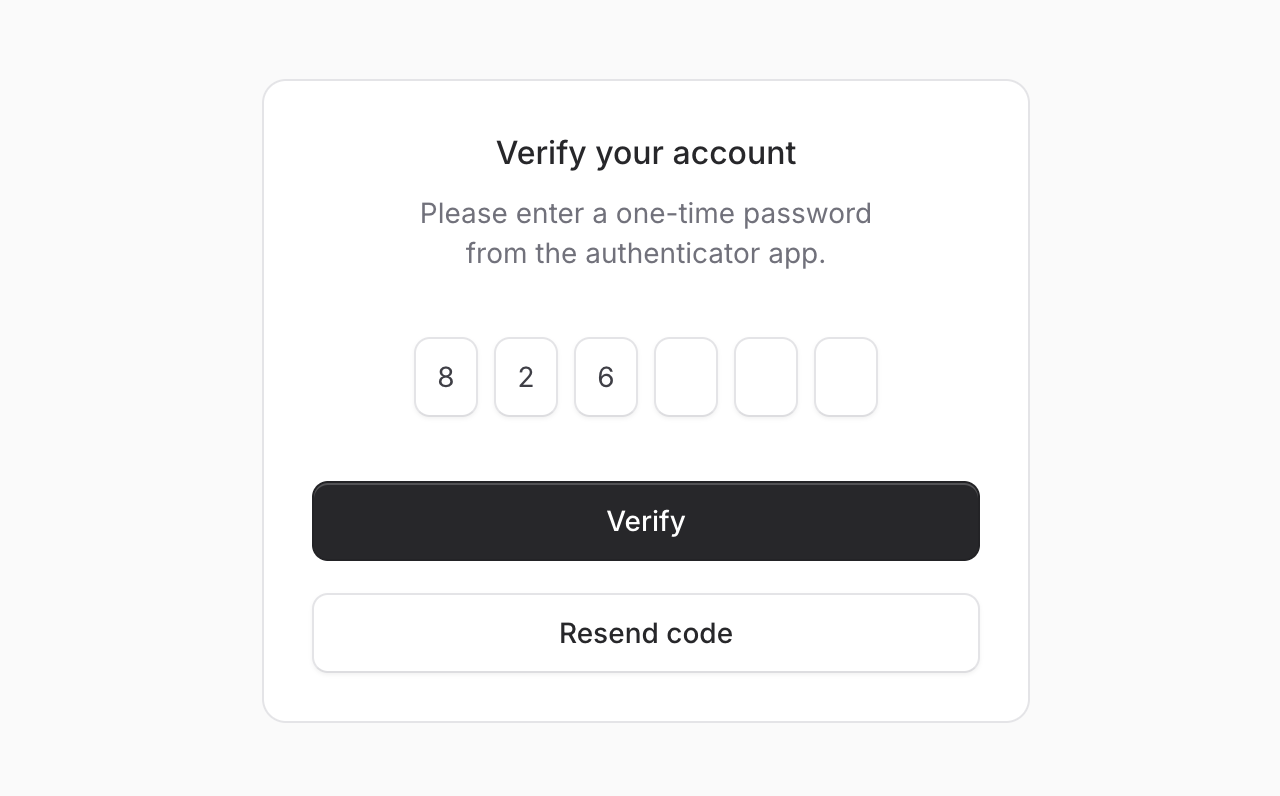 Two-factor authentication, email verification codes, PIN entries—OTP inputs are everywhere. We figured Flux should handle them beautifully.
Meet **OTP Input**, a component for capturing one-time passwords with individual input fields. Let's take a look.
```blade
```
## Auto-submit
Add `submit="auto"` and the form submits automatically once all fields are filled—no submit button needed. Perfect for streamlined verification flows where speed matters.
```blade
```
## More than numbers
Two-factor authentication, email verification codes, PIN entries—OTP inputs are everywhere. We figured Flux should handle them beautifully.
Meet **OTP Input**, a component for capturing one-time passwords with individual input fields. Let's take a look.
```blade
```
## Auto-submit
Add `submit="auto"` and the form submits automatically once all fields are filled—no submit button needed. Perfect for streamlined verification flows where speed matters.
```blade
```
## More than numbers
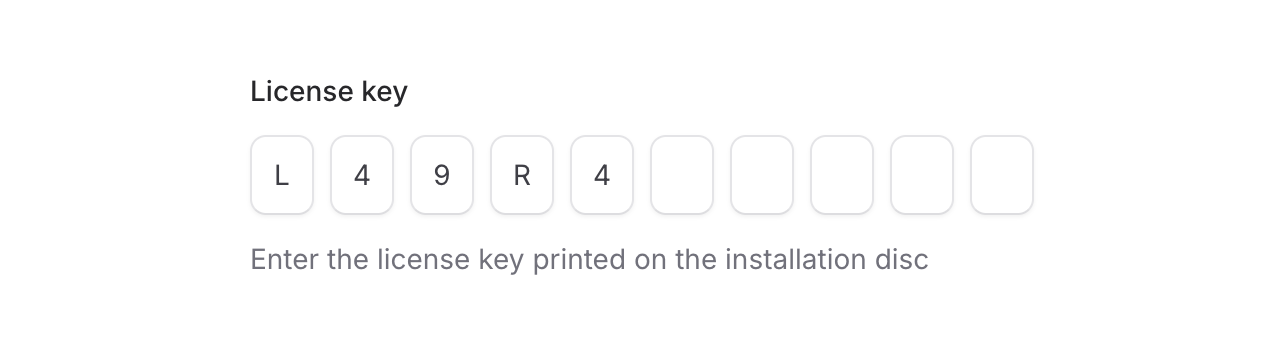 Need alphanumeric codes or PINs? The `mode` prop has you covered. Set it to `alphanumeric` for license keys, or use `private` to mask sensitive values like PIN codes.
```blade
```
## Custom layouts
Need alphanumeric codes or PINs? The `mode` prop has you covered. Set it to `alphanumeric` for license keys, or use `private` to mask sensitive values like PIN codes.
```blade
```
## Custom layouts
 Use separators and groups to match your design. Great for phone numbers, credit cards, or any grouped format:
```blade
```
## Smart input behavior
As always we went to great lengths to make sure this component is world-class.
**Smart paste**: Paste an entire code and it automatically distributes the characters across all input fields—no need to manually type each digit.
**Intelligent navigation**: Arrow keys move between fields, backspace jumps back to clear previous digits, and typing automatically advances to the next field.
**Autocomplete support**: The first field includes `autocomplete="one-time-code"` by default, so browsers and password managers can automatically suggest codes from SMS or authenticator apps.
## Accessibility
And of course, we made sure this component honors expected keyboard navigation, proper focus management, and appropriate ARIA labels so that screen readers can use it just as well. Each input announces its position and the total number of digits expected.
---
Check out the [OTP Input documentation](https://fluxui.dev/components/otp-input) for more examples and the full API reference.
Use separators and groups to match your design. Great for phone numbers, credit cards, or any grouped format:
```blade
```
## Smart input behavior
As always we went to great lengths to make sure this component is world-class.
**Smart paste**: Paste an entire code and it automatically distributes the characters across all input fields—no need to manually type each digit.
**Intelligent navigation**: Arrow keys move between fields, backspace jumps back to clear previous digits, and typing automatically advances to the next field.
**Autocomplete support**: The first field includes `autocomplete="one-time-code"` by default, so browsers and password managers can automatically suggest codes from SMS or authenticator apps.
## Accessibility
And of course, we made sure this component honors expected keyboard navigation, proper focus management, and appropriate ARIA labels so that screen readers can use it just as well. Each input announces its position and the total number of digits expected.
---
Check out the [OTP Input documentation](https://fluxui.dev/components/otp-input) for more examples and the full API reference.