
# Skeleton

Published: November 26, 2025

Version: ^2.9.0

<img loading="lazy" class="rounded-2xl border dark:border-zinc-700" src="/img/blog/2_9_0_skeleton_hero.png" alt="Skeleton loading placeholder with shimmer animation" />

Loading states matter. A well-designed skeleton keeps users engaged while content loads, making your app feel faster and more polished.

Introducing **Skeleton**, a flexible component for creating placeholder content.

```blade

<flux:skeleton.group animate="shimmer" class="flex items-center gap-4">
    <flux:skeleton class="size-10 rounded-full" />

    <div class="flex-1">
        <flux:skeleton.line />
        <flux:skeleton.line class="w-1/2" />
    </div>
</flux:skeleton.group>
```

## Text placeholders

<img loading="lazy" class="rounded-2xl border dark:border-zinc-700" src="/img/blog/2_9_0_skeleton_text.png" alt="Skeleton lines mimicking paragraph text" />

The `skeleton.line` component mimics real text—it occupies the full line-height but renders a slimmer bar, giving it the natural proportions of actual text:

```blade

<flux:skeleton.group>
    <flux:skeleton.line class="mb-2 w-1/4" />
    <flux:skeleton.line />
    <flux:skeleton.line />
    <flux:skeleton.line class="w-3/4" />
</flux:skeleton.group>
```

## Animation options

<img loading="lazy" class="rounded-2xl border dark:border-zinc-700" src="/img/blog/2_9_0_skeleton_animations.gif" alt="Skeleton showing shimmer and pulse animations" />

Choose between `shimmer` and `pulse` animations, or go with no animation at all. The `skeleton.group` component lets you set the animation once and have all child skeletons inherit it:

```blade
<!-- Shimmer animation -->
<flux:skeleton.group animate="shimmer">
    <flux:skeleton.line />
</flux:skeleton.group>

<!-- Pulse animation -->
<flux:skeleton.group animate="pulse">
    <flux:skeleton.line />
</flux:skeleton.group>

<!-- No animation -->
<flux:skeleton.line />
```

## Real-world examples

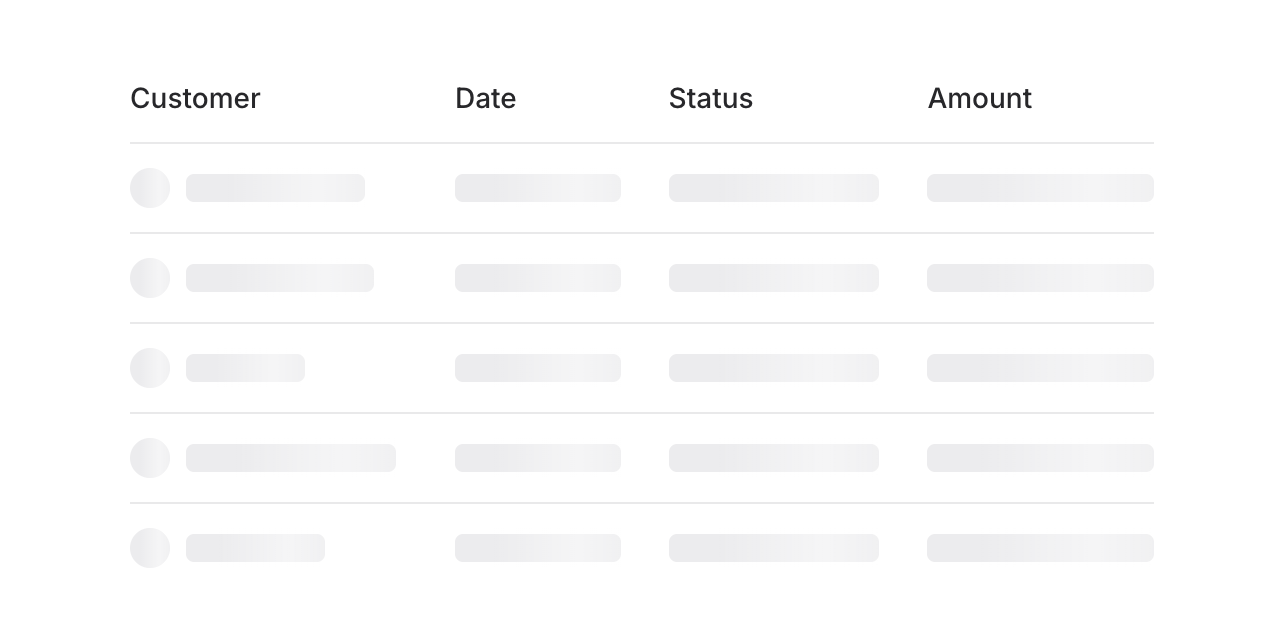
<img loading="lazy" class="rounded-2xl border dark:border-zinc-700" src="/img/blog/2_9_0_skeleton_table.png" alt="Skeleton loading state for a data table" />

Build skeleton states for anything—tables, cards, charts, profiles. Here's a table loading state:

```blade
<flux:skeleton.group animate="shimmer">
    <flux:table>
        <flux:table.columns>
            <flux:table.column>Customer</flux:table.column>
            <flux:table.column>Date</flux:table.column>
            <flux:table.column>Status</flux:table.column>
        </flux:table.columns>

        <flux:table.rows>
            @foreach (range(1, 5) as $i)
                <flux:table.row>
                    <flux:table.cell>
                        <div class="flex items-center gap-2">
                            <flux:skeleton class="rounded-full size-5" />
                            <flux:skeleton.line />
                        </div>
                    </flux:table.cell>

                    <flux:table.cell>
                        <flux:skeleton.line />
                    </flux:table.cell>

                    <flux:table.cell>
                        <flux:skeleton.line />
                    </flux:table.cell>
                </flux:table.row>
            @endforeach
        </flux:table.rows>
    </flux:table>
</flux:skeleton.group>
```

---

Check out the [Skeleton documentation](https://fluxui.dev/components/skeleton) for more examples and the full API reference.
