# Create option + inline pillbox input
Published: December 18, 2025
Version: ^2.10.0
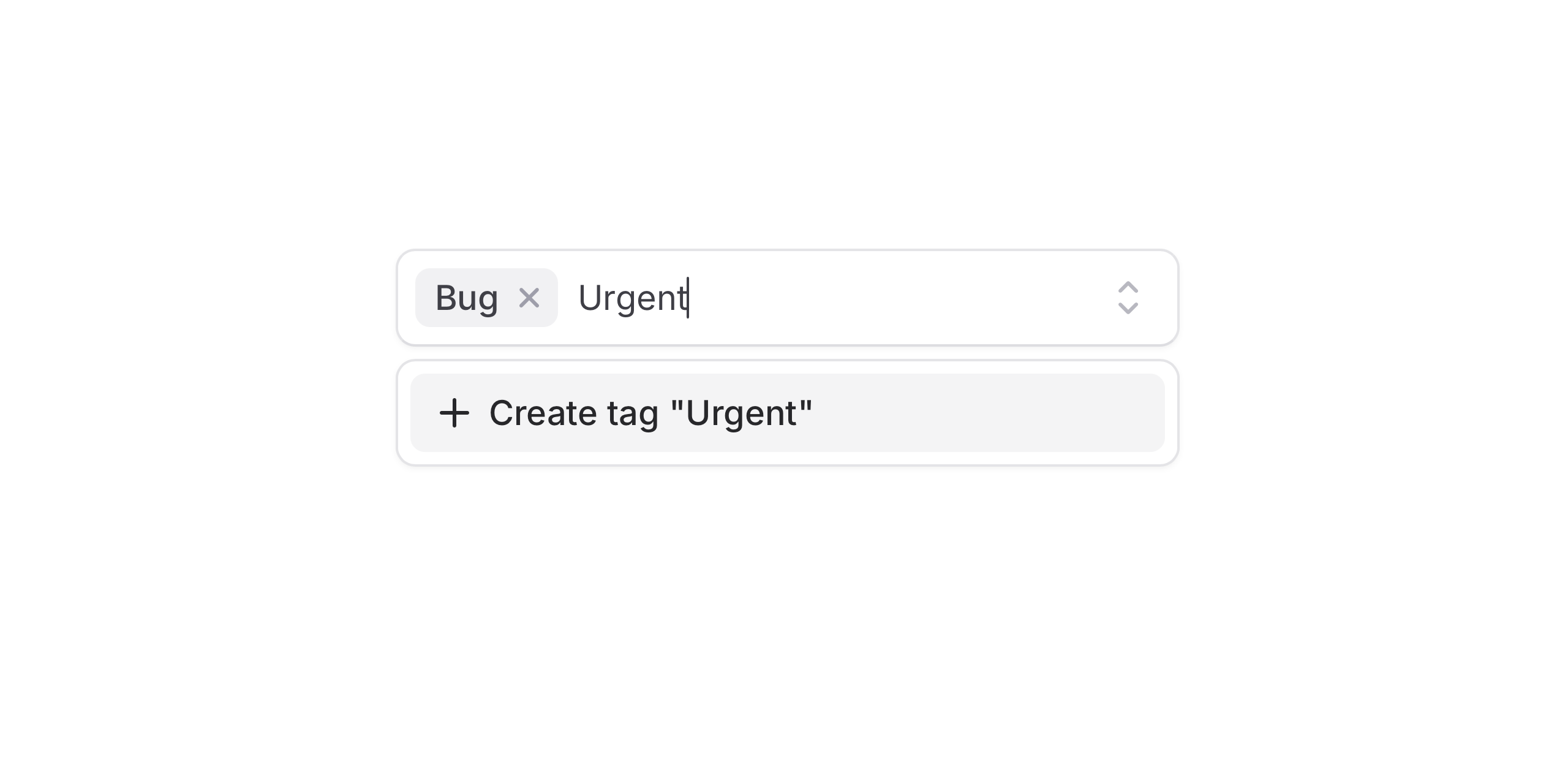 We've added a new **Create option** component to Flux allowing users to create bespoke options that don't appear in the original list.
Pair that with the new **combobox** variant on the pillbox component for an even more intuitive experience.
Let’s take a look at both of these new features.
## New `combobox` variant
We've added a new **Create option** component to Flux allowing users to create bespoke options that don't appear in the original list.
Pair that with the new **combobox** variant on the pillbox component for an even more intuitive experience.
Let’s take a look at both of these new features.
## New `combobox` variant
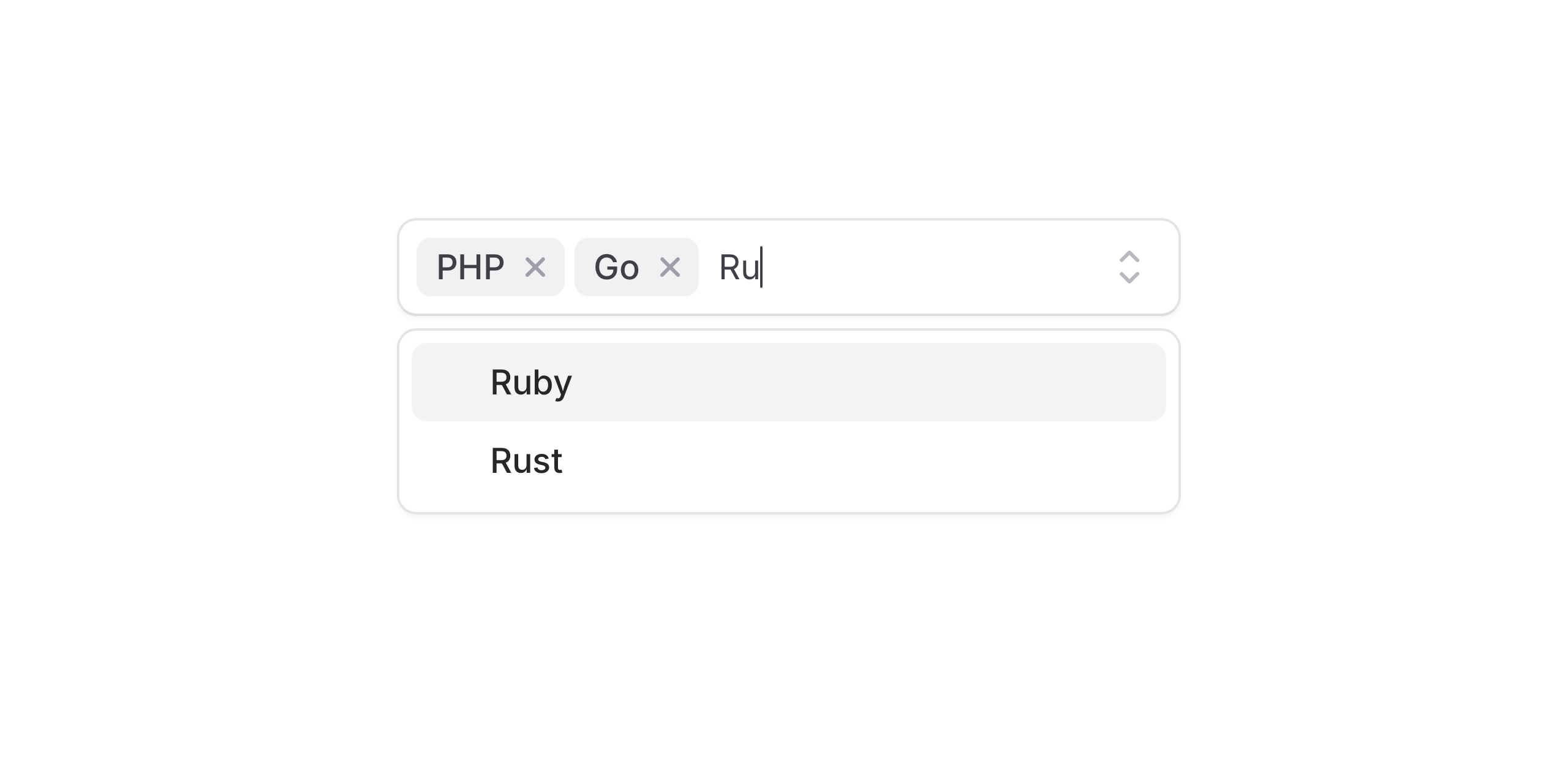 This variant allows typing and selection in a single, continuous flow, making it ideal for tags, labels, and search-driven interactions.
```blade
JavaScript
TypeScript
PHP
```
## New `create` option
This variant allows typing and selection in a single, continuous flow, making it ideal for tags, labels, and search-driven interactions.
```blade
JavaScript
TypeScript
PHP
```
## New `create` option
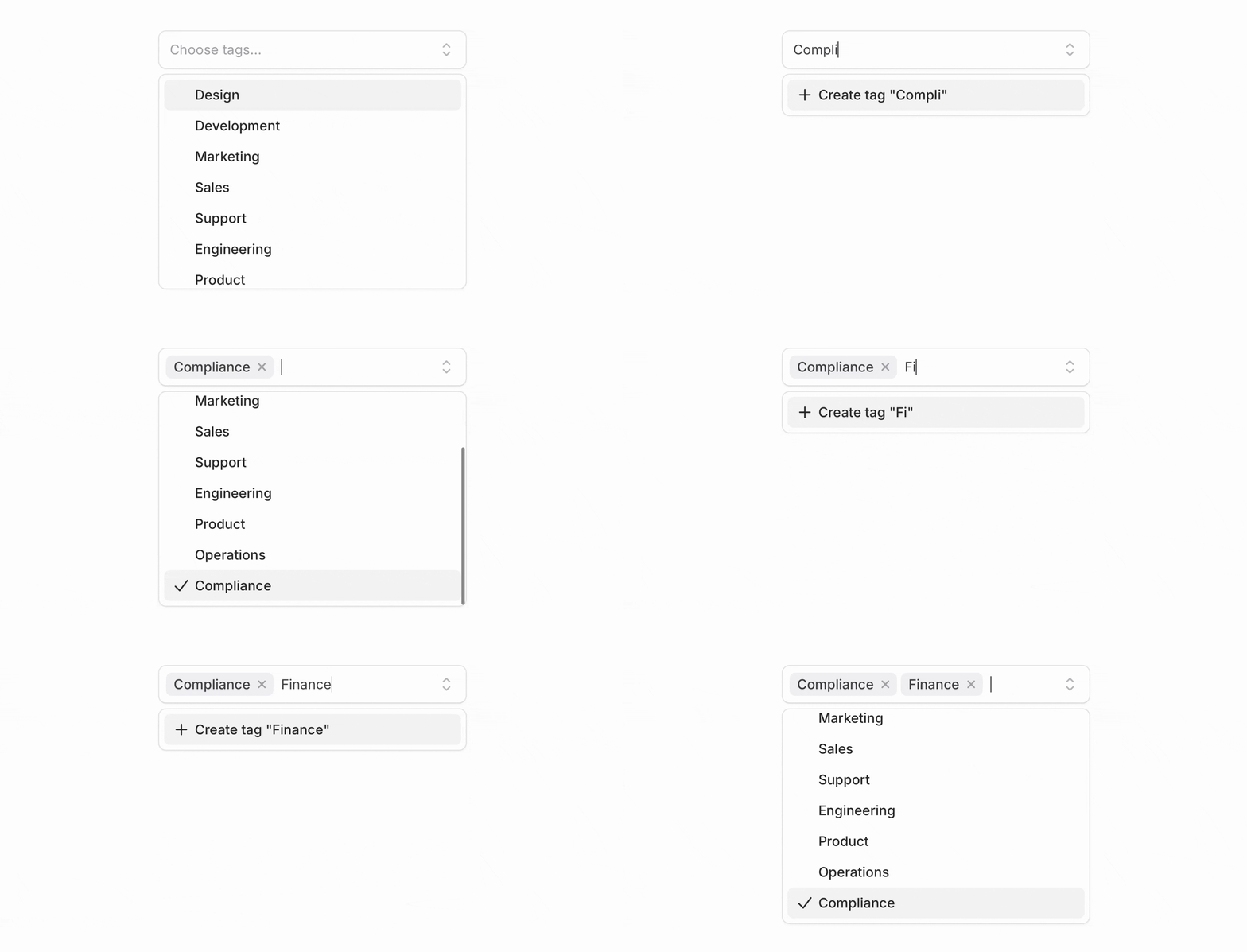 Add the `flux:pillbox.option.create` component at the beginning or end of your options list, and Flux will automatically show it when the current search doesn’t match any existing option.
```blade
Create tag ""
```
Your _create option_ logic can now live in your Livewire component and be easily wired up using **wire:click**.
```php
public function createTag()
{
$tag = Tag::create(['name' => $this->search]);
$this->selectedTags[] = $tag->id;
}
```
### Smart validation
Flux handles common validation cases by default—like preventing duplicate options. It also supports accent-aware matching, so searches for Jose correctly match José.
Use `min-length` to control when the “create option” prompt appears. For full control, use Laravel validation rules; validation errors are reflected automatically.
### Backend search
Using backend filtering? No problem. With `:filter="false"`, Flux waits for the server response, then checks whether the option is unique. The create option is also disabled while a request is in flight, preventing duplicate submissions.
### Modals
Use the `modal` prop when creation requires more than a single action. This is useful for more complex workflows—such as collecting additional fields or running validation inside a dedicated form.
```blade
```
### Select support
The create option works with **Select** as well. You can use it in both searchable select and combobox variants, with the same behavior and API.
```blade
Create project ""
```
## Accessibility
And of course, we went to great lengths to make sure the create option and combobox flow honor expected keyboard navigation, focus behavior, and proper ARIA labels so that screen readers can use it just as well.
---
Check out the [Pillbox documentation](https://fluxui.dev/components/pillbox) and [Select documentation](https://fluxui.dev/components/select) for more examples and the full API reference.
Add the `flux:pillbox.option.create` component at the beginning or end of your options list, and Flux will automatically show it when the current search doesn’t match any existing option.
```blade
Create tag ""
```
Your _create option_ logic can now live in your Livewire component and be easily wired up using **wire:click**.
```php
public function createTag()
{
$tag = Tag::create(['name' => $this->search]);
$this->selectedTags[] = $tag->id;
}
```
### Smart validation
Flux handles common validation cases by default—like preventing duplicate options. It also supports accent-aware matching, so searches for Jose correctly match José.
Use `min-length` to control when the “create option” prompt appears. For full control, use Laravel validation rules; validation errors are reflected automatically.
### Backend search
Using backend filtering? No problem. With `:filter="false"`, Flux waits for the server response, then checks whether the option is unique. The create option is also disabled while a request is in flight, preventing duplicate submissions.
### Modals
Use the `modal` prop when creation requires more than a single action. This is useful for more complex workflows—such as collecting additional fields or running validation inside a dedicated form.
```blade
```
### Select support
The create option works with **Select** as well. You can use it in both searchable select and combobox variants, with the same behavior and API.
```blade
Create project ""
```
## Accessibility
And of course, we went to great lengths to make sure the create option and combobox flow honor expected keyboard navigation, focus behavior, and proper ARIA labels so that screen readers can use it just as well.
---
Check out the [Pillbox documentation](https://fluxui.dev/components/pillbox) and [Select documentation](https://fluxui.dev/components/select) for more examples and the full API reference.