# Inverted toasts
Published: September 8, 2026
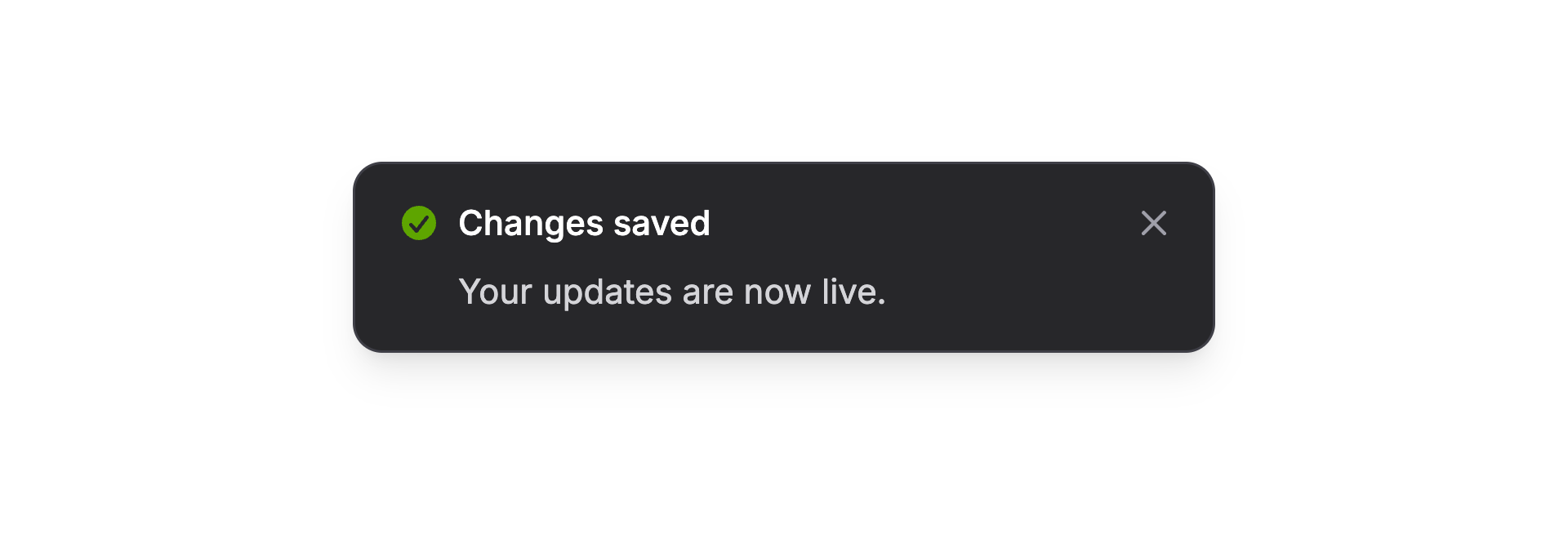 Flux toasts now have an inverted treatment: dark in light mode, light in dark mode. Add `invert` to the toast component in your layout:
```blade
```
That sets the appearance for every toast. Your existing `Flux::toast()` calls stay the same.
## The details follow along
The contrasting surface gives the message a little more separation from the page. Headings and body text switch colors with it, along with links, action buttons, and the close button's hover state.
You can still distinguish a successful save from a warning. `invert` controls the appearance, leaving `variant` available for the message:
```php
Flux::toast(
'Changes saved.',
variant: 'success',
);
```
[Check out the toast docs →](https://fluxui.dev/components/toast)
Flux toasts now have an inverted treatment: dark in light mode, light in dark mode. Add `invert` to the toast component in your layout:
```blade
```
That sets the appearance for every toast. Your existing `Flux::toast()` calls stay the same.
## The details follow along
The contrasting surface gives the message a little more separation from the page. Headings and body text switch colors with it, along with links, action buttons, and the close button's hover state.
You can still distinguish a successful save from a warning. `invert` controls the appearance, leaving `variant` available for the message:
```php
Flux::toast(
'Changes saved.',
variant: 'success',
);
```
[Check out the toast docs →](https://fluxui.dev/components/toast)