The Changelog
What's new around here?
Succinct and informative updates about Flux.
RSS feed
December 18, 2025
Create option + inline pillbox input
Version ^2.10.0
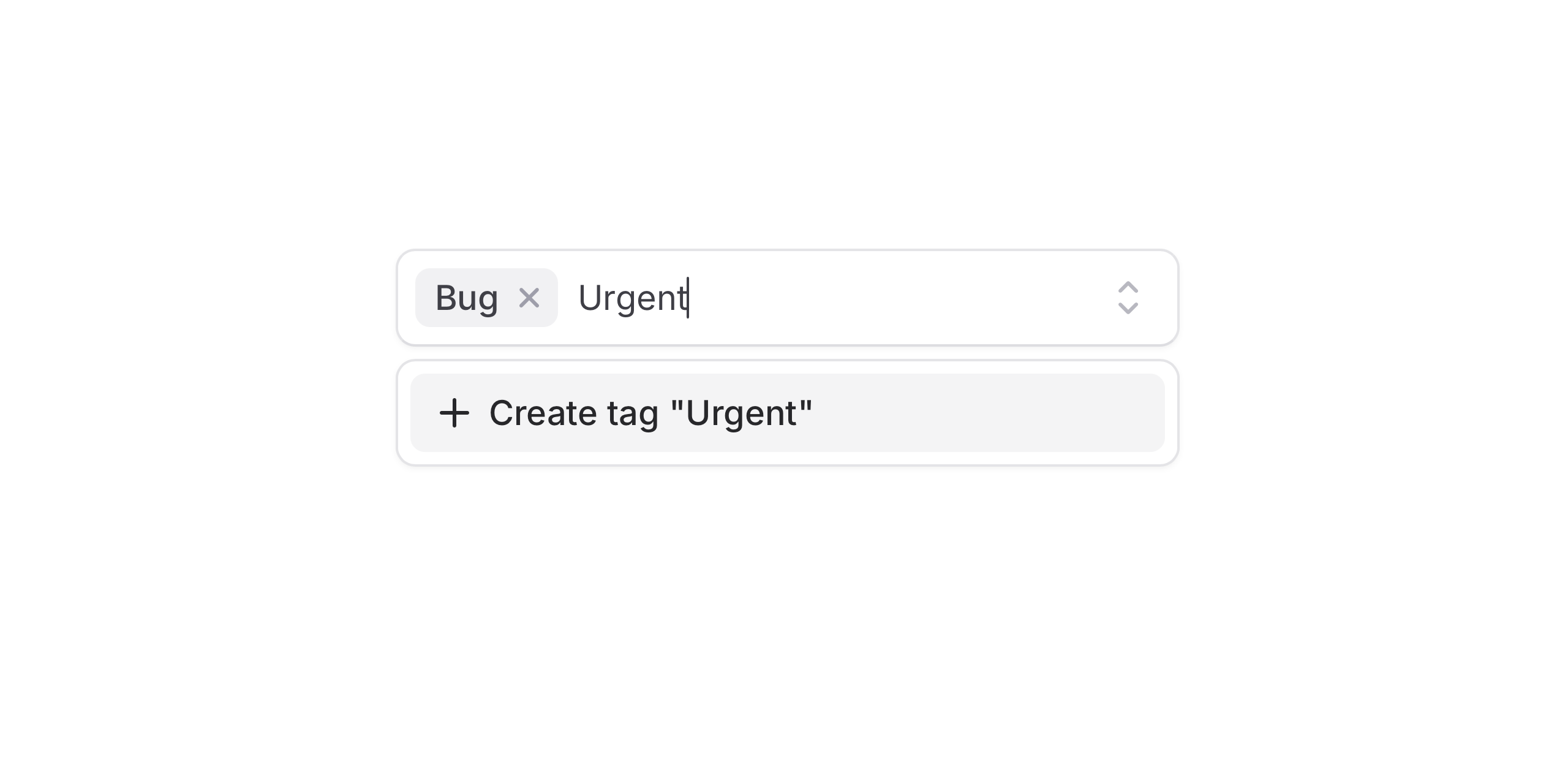
We've added a new Create option component to Flux allowing users to create bespoke options that don't appear in the original list.
Pair that with the new combobox variant on the pillbox component for an even more intuitive experience.
Let’s take a look at both of these new features.
New combobox variant
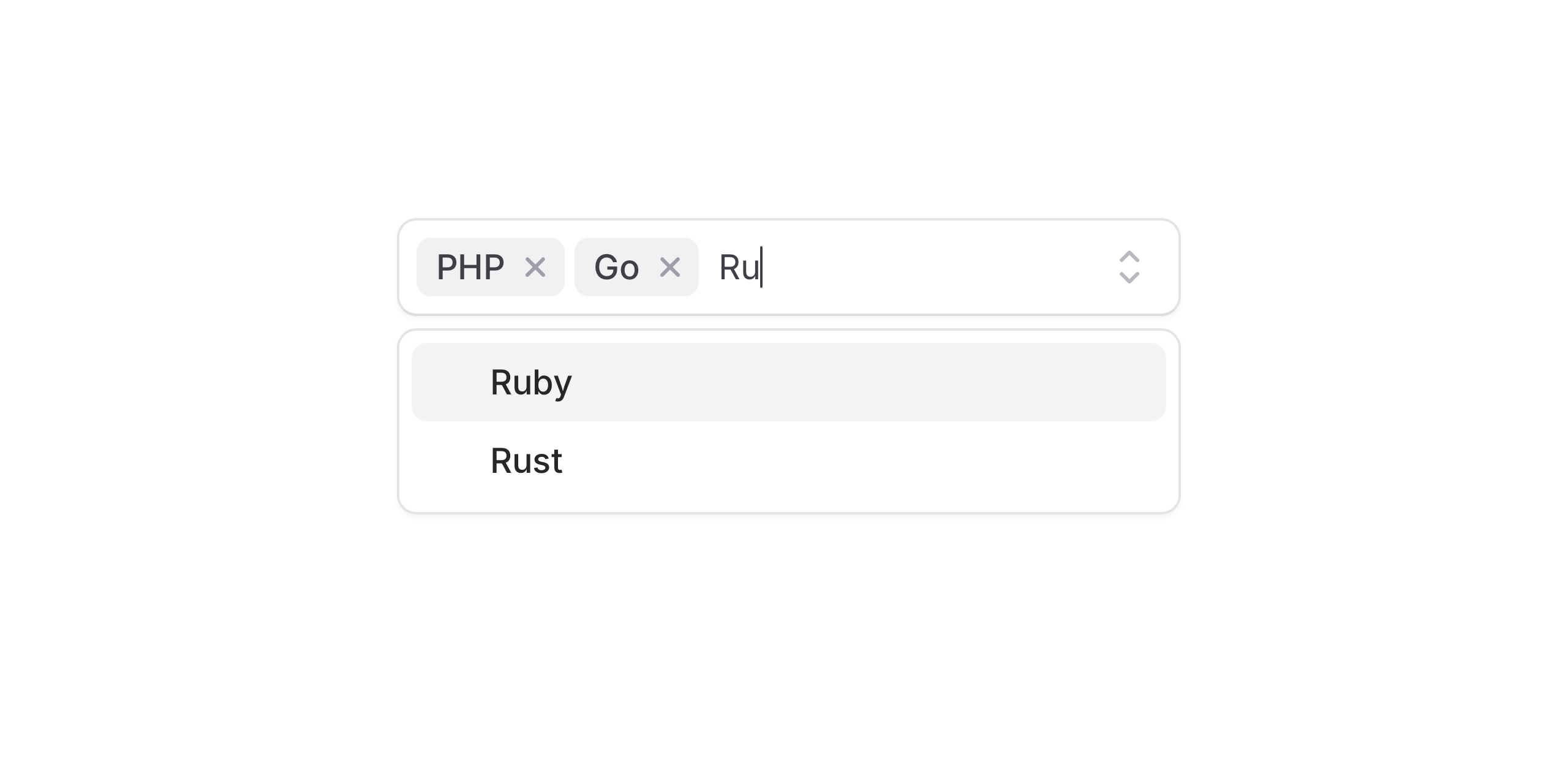
This variant allows typing and selection in a single, continuous flow, making it ideal for tags, labels, and search-driven interactions.
Copy to clipboard
<flux:pillbox variant="combobox" multiple> <flux:pillbox.option value="javascript">JavaScript</flux:pillbox.option> <flux:pillbox.option value="typescript">TypeScript</flux:pillbox.option> <flux:pillbox.option value="php">PHP</flux:pillbox.option></flux:pillbox>New create option
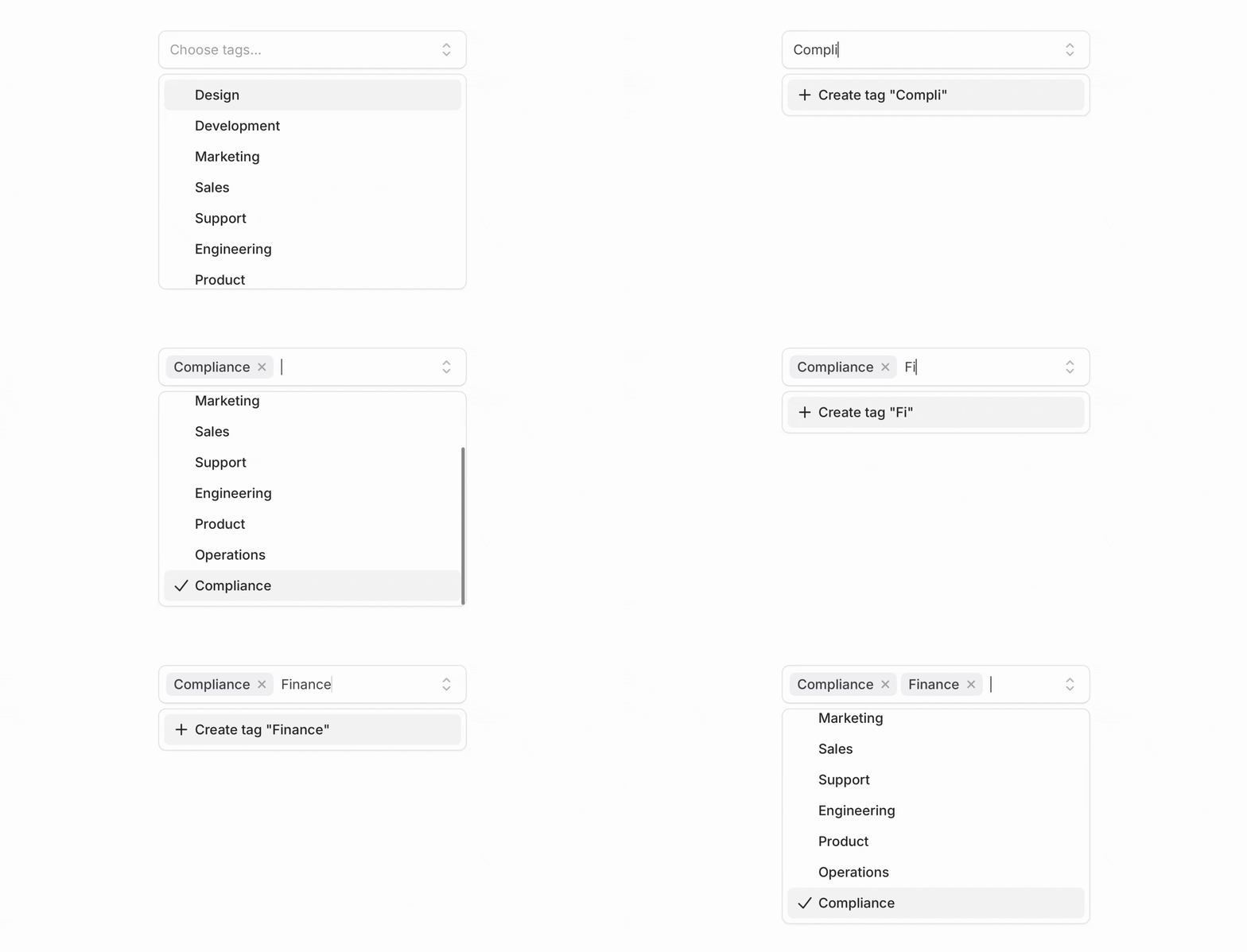
Add the flux:pillbox.option.create component at the beginning or end of your options list, and Flux will automatically show it when the current search doesn’t match any existing option.
Copy to clipboard
<flux:pillbox wire:model="selectedTags" variant="combobox" multiple> <x-slot name="input"> <flux:pillbox.input wire:model="search" /> </x-slot> <!-- ... --> <flux:pillbox.option.create wire:click="createTag" min-length="2"> Create tag "<span wire:text="search"></span>" </flux:pillbox.option.create></flux:pillbox>Your create option logic can now live in your Livewire component and be easily wired up using wire:click.
Copy to clipboard
public function createTag(){ $tag = Tag::create(['name' => $this->search]); $this->selectedTags[] = $tag->id;}Smart validation
Flux handles common validation cases by default—like preventing duplicate options. It also supports accent-aware matching, so searches for Jose correctly match José.
Use min-length to control when the “create option” prompt appears. For full control, use Laravel validation rules; validation errors are reflected automatically.
Backend search
Using backend filtering? No problem. With :filter="false", Flux waits for the server response, then checks whether the option is unique. The create option is also disabled while a request is in flight, preventing duplicate submissions.
Modals
Use the modal prop when creation requires more than a single action. This is useful for more complex workflows—such as collecting additional fields or running validation inside a dedicated form.
Copy to clipboard
<flux:pillbox.option.create modal="create-tag"> <!-- ... --></flux:pillbox.option.create><flux:modal name="create-tag"> <!-- ... --></flux:modal>Select support
The create option works with Select as well. You can use it in both searchable select and combobox variants, with the same behavior and API.
Copy to clipboard
<flux:select wire:model="projectId" variant="combobox"> <x-slot name="input"> <flux:select.input wire:model="search" /> </x-slot> <!-- ... --> <flux:select.option.create wire:click="createProject" min-length="2"> Create project "<span wire:text="search"></span>" </flux:select.option.create></flux:select>Accessibility
And of course, we went to great lengths to make sure the create option and combobox flow honor expected keyboard navigation, focus behavior, and proper ARIA labels so that screen readers can use it just as well.
Check out the Pillbox documentation and Select documentation for more examples and the full API reference.
November 26, 2025
Kanban
Version ^2.9.0
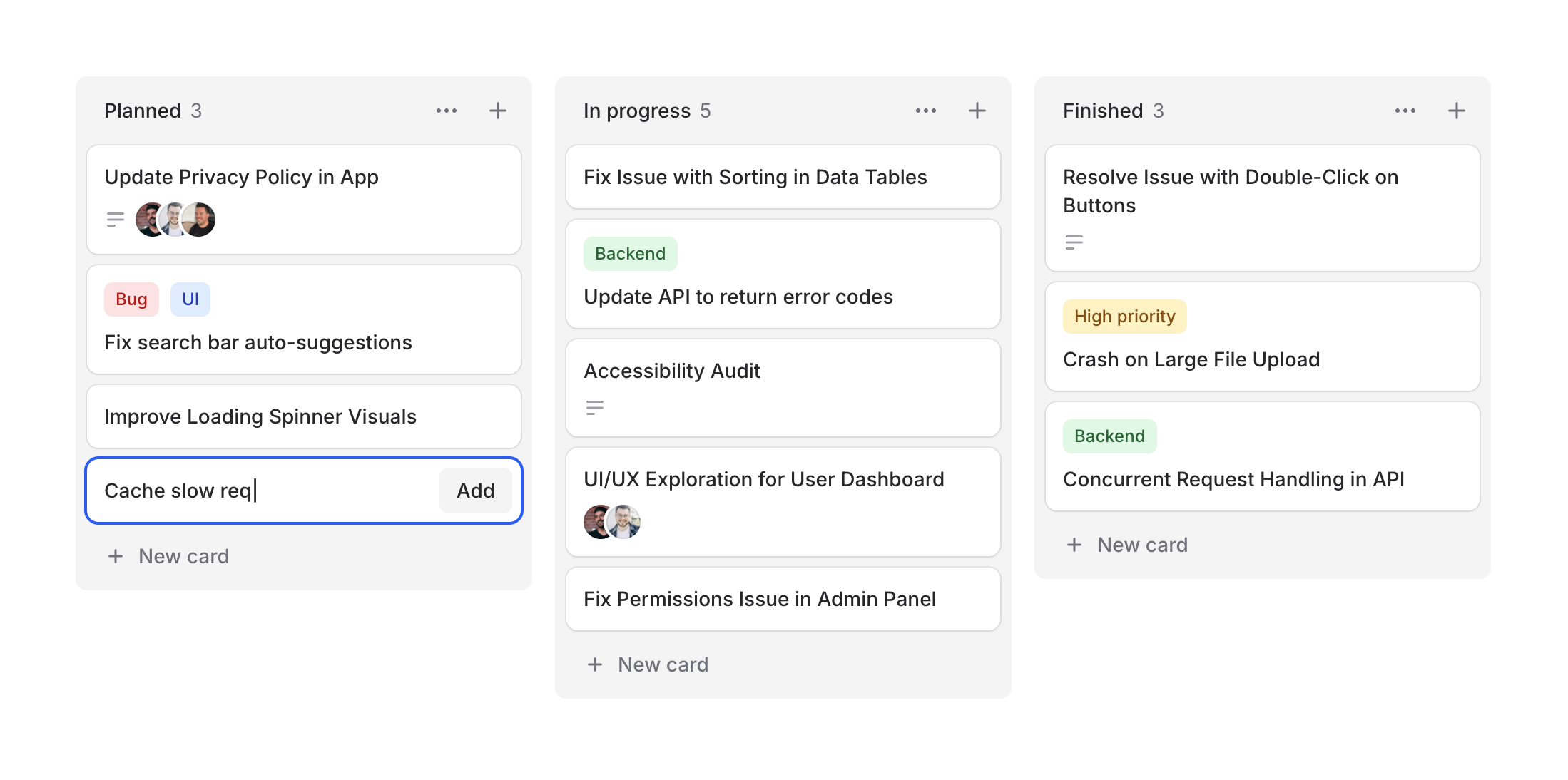
Project management, task tracking, workflow visualization—kanban boards are everywhere. Designing them from scratch can be tedious, so we figured Flux should make it easy.
Cheeck out our new Kanban system, a collection of components for building beautiful workflow boards. Take a look.
Copy to clipboard
<flux:kanban> @foreach ($columns as $column) <flux:kanban.column> <flux:kanban.column.header :heading="$column->title" :count="count($column->cards)" /> <flux:kanban.column.cards> @foreach ($column->cards as $card) <flux:kanban.card :heading="$card->title" /> @endforeach </flux:kanban.column.cards> </flux:kanban.column> @endforeach</flux:kanban>Column arrangements
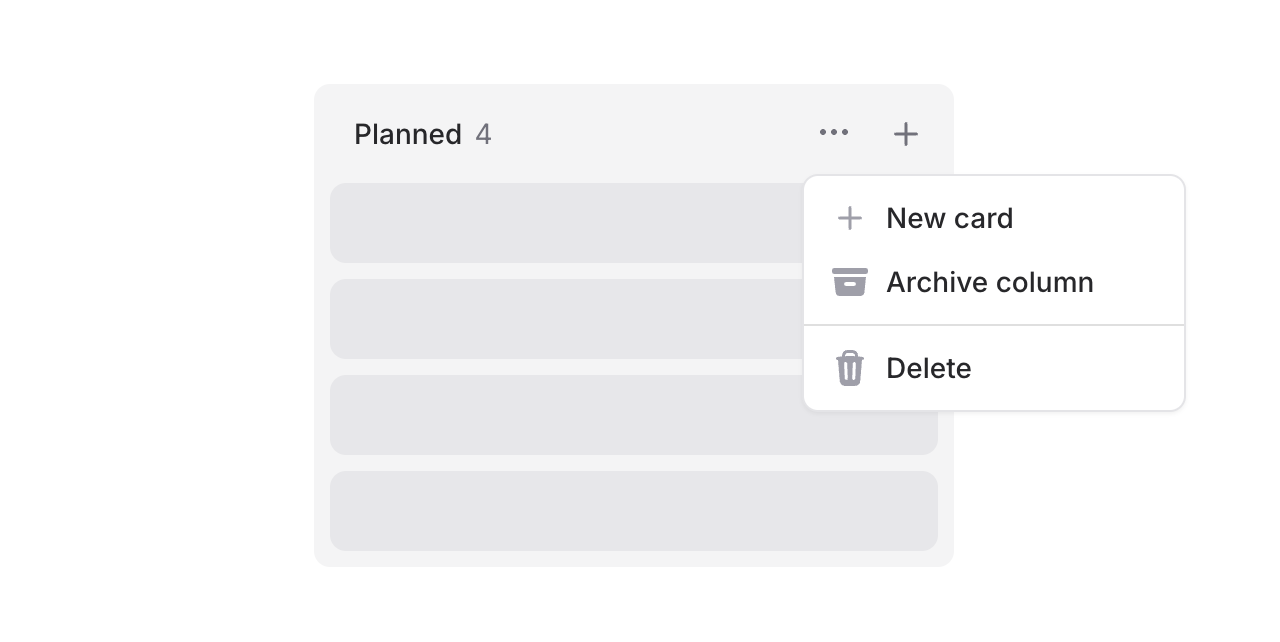
Columns support headings, counts, and action slots. Add dropdowns for column management or quick-add buttons:
Copy to clipboard
<flux:kanban.column.header heading="In Progress" count="5"> <x-slot name="actions"> <flux:dropdown> <flux:button variant="subtle" icon="ellipsis-horizontal" size="sm" /> <flux:menu> <flux:menu.item icon="plus">New card</flux:menu.item> <!-- ... --> </flux:menu> </flux:dropdown> <flux:button variant="subtle" icon="plus" size="sm" /> </x-slot></flux:kanban.column.header>Flexible cards
Cards are composable with header and footer slots for maximum flexibility.
Card headers
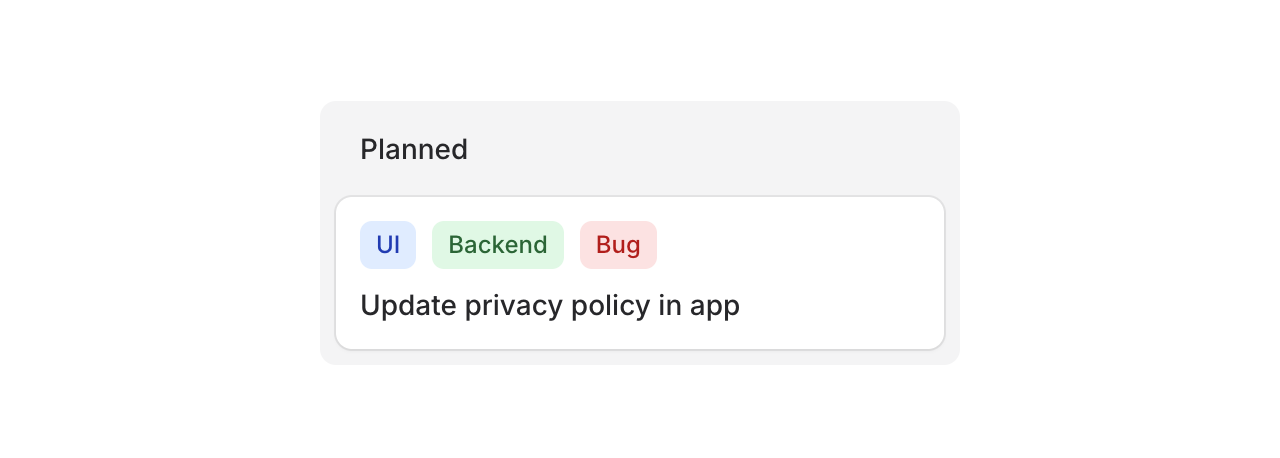
Use the header slot for badges, tags, or labels:
Copy to clipboard
<flux:kanban.card heading="Update privacy policy"> <x-slot name="header"> <div class="flex gap-2"> <flux:badge color="blue" size="sm">UI</flux:badge> <flux:badge color="green" size="sm">Backend</flux:badge> <flux:badge color="red" size="sm">Bug</flux:badge> </div> </x-slot></flux:kanban.card>Card footers
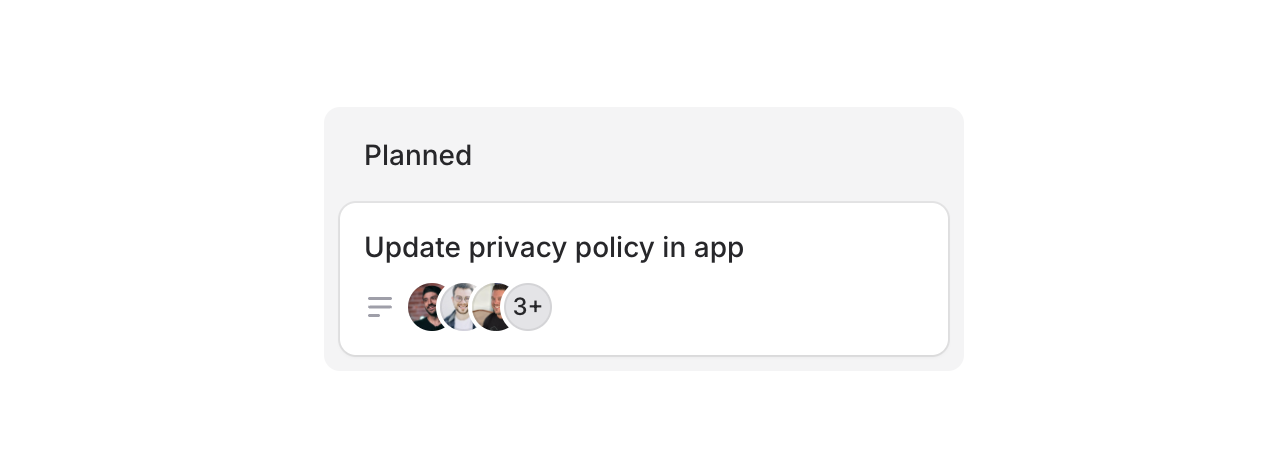
Use the footer slot for avatars, icons, or metadata:
Copy to clipboard
<flux:kanban.card heading="Update privacy policy"> <x-slot name="footer"> <flux:icon name="bars-3-bottom-left" variant="micro" class="text-zinc-400" /> <flux:avatar.group> <flux:avatar circle size="xs" src="..." /> <!-- ... --> </flux:avatar.group> </x-slot></flux:kanban.card>Cards can also be made clickable with as="button" to open modals or detail views:
Copy to clipboard
<flux:kanban.card as="button" wire:click="edit({{ $card->id }})" heading="{{ $card->title }}"> <!-- ... --></flux:kanban.card>Drag & drop
Flux doesn't ship with drag-and-drop features, but you can add them using Alpine's x-sort plugin or preferably wire:sort in Livewire 4 (currently in beta):
Copy to clipboard
<flux:kanban wire:sort="moveColumn"> @foreach ($columns as $column) <flux:kanban.column :wire:key="$column->id" :wire:sort:item="$column->id" > <flux:kanban.column.header :heading="$column->title" :count="count($column->cards)" /> <flux:kanban.column.cards wire:sort="moveCards"> @foreach ($column->cards as $card) <flux:kanban.card :heading="$card->title" :wire:key="$card->id" :wire:sort:item="$card->id" /> @endforeach </flux:kanban.column.cards> </flux:kanban.column> @endforeach</flux:kanban>Check out the Kanban documentation for more examples and the full API reference.
November 26, 2025
Skeleton
Version ^2.9.0

Loading states matter. A well-designed skeleton keeps users engaged while content loads, making your app feel faster and more polished.
Introducing Skeleton, a flexible component for creating placeholder content.
Copy to clipboard
<flux:skeleton.group animate="shimmer" class="flex items-center gap-4"> <flux:skeleton class="size-10 rounded-full" /> <div class="flex-1"> <flux:skeleton.line /> <flux:skeleton.line class="w-1/2" /> </div></flux:skeleton.group>Text placeholders

The skeleton.line component mimics real text—it occupies the full line-height but renders a slimmer bar, giving it the natural proportions of actual text:
Copy to clipboard
<flux:skeleton.group> <flux:skeleton.line class="mb-2 w-1/4" /> <flux:skeleton.line /> <flux:skeleton.line /> <flux:skeleton.line class="w-3/4" /></flux:skeleton.group>Animation options

Choose between shimmer and pulse animations, or go with no animation at all. The skeleton.group component lets you set the animation once and have all child skeletons inherit it:
Copy to clipboard
<!-- Shimmer animation --><flux:skeleton.group animate="shimmer"> <flux:skeleton.line /></flux:skeleton.group><!-- Pulse animation --><flux:skeleton.group animate="pulse"> <flux:skeleton.line /></flux:skeleton.group><!-- No animation --><flux:skeleton.line />Real-world examples
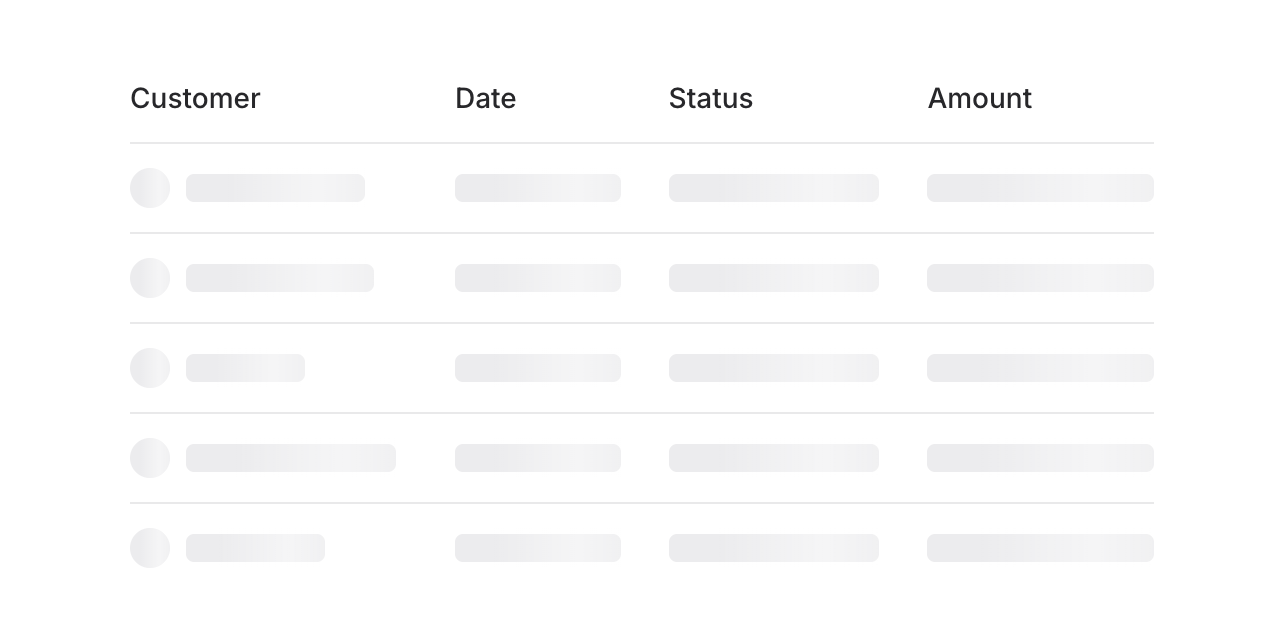
Build skeleton states for anything—tables, cards, charts, profiles. Here's a table loading state:
Copy to clipboard
<flux:skeleton.group animate="shimmer"> <flux:table> <flux:table.columns> <flux:table.column>Customer</flux:table.column> <flux:table.column>Date</flux:table.column> <flux:table.column>Status</flux:table.column> </flux:table.columns> <flux:table.rows> @foreach (range(1, 5) as $i) <flux:table.row> <flux:table.cell> <div class="flex items-center gap-2"> <flux:skeleton class="rounded-full size-5" /> <flux:skeleton.line /> </div> </flux:table.cell> <flux:table.cell> <flux:skeleton.line /> </flux:table.cell> <flux:table.cell> <flux:skeleton.line /> </flux:table.cell> </flux:table.row> @endforeach </flux:table.rows> </flux:table></flux:skeleton.group>Check out the Skeleton documentation for more examples and the full API reference.