The Changelog
What's new around here?
Succinct and informative updates about Flux.
RSS feed
March 1, 2026
Timeline
Version ^2.13.0
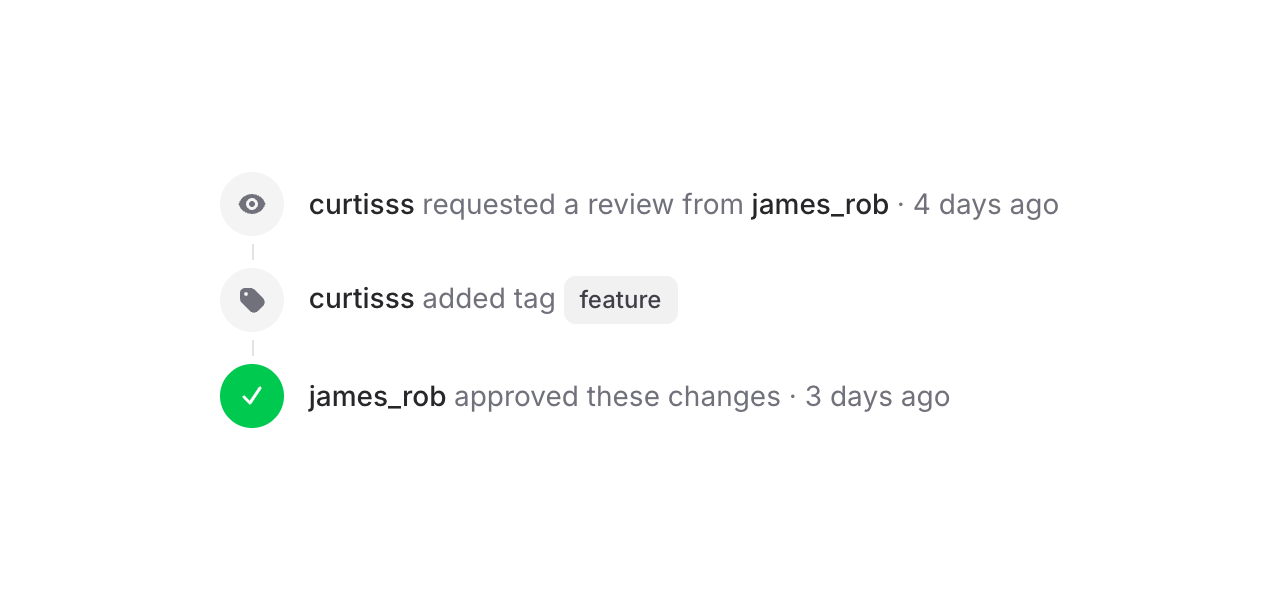
Flux's new Timeline component makes it easy to display a sequence of events or steps to your users. Check it out:
Copy to clipboard
<flux:timeline> <flux:timeline.item> <flux:timeline.indicator> <flux:icon.eye variant="micro" /> </flux:timeline.indicator> <flux:timeline.content> <flux:heading>curtisss <flux:text inline>requested a review</flux:text></flux:heading> </flux:timeline.content> </flux:timeline.item> <!-- ... --></flux:timeline>Each item has an indicator (icons, numbers, text — whatever you want) and a content area.
Vertical, horizontal, with status
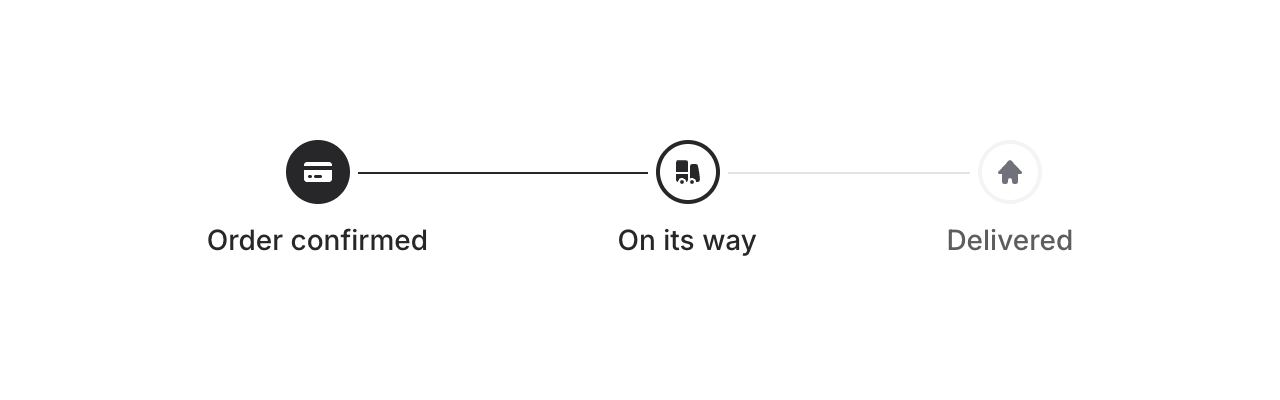
Add horizontal to flip the layout. Combine it with the status prop (complete, current, incomplete) to show progress — connector lines between items update automatically:
Copy to clipboard
<flux:timeline horizontal> <flux:timeline.item status="complete">...</flux:timeline.item> <flux:timeline.item status="current">...</flux:timeline.item> <flux:timeline.item status="incomplete">...</flux:timeline.item></flux:timeline>Baseline alignment
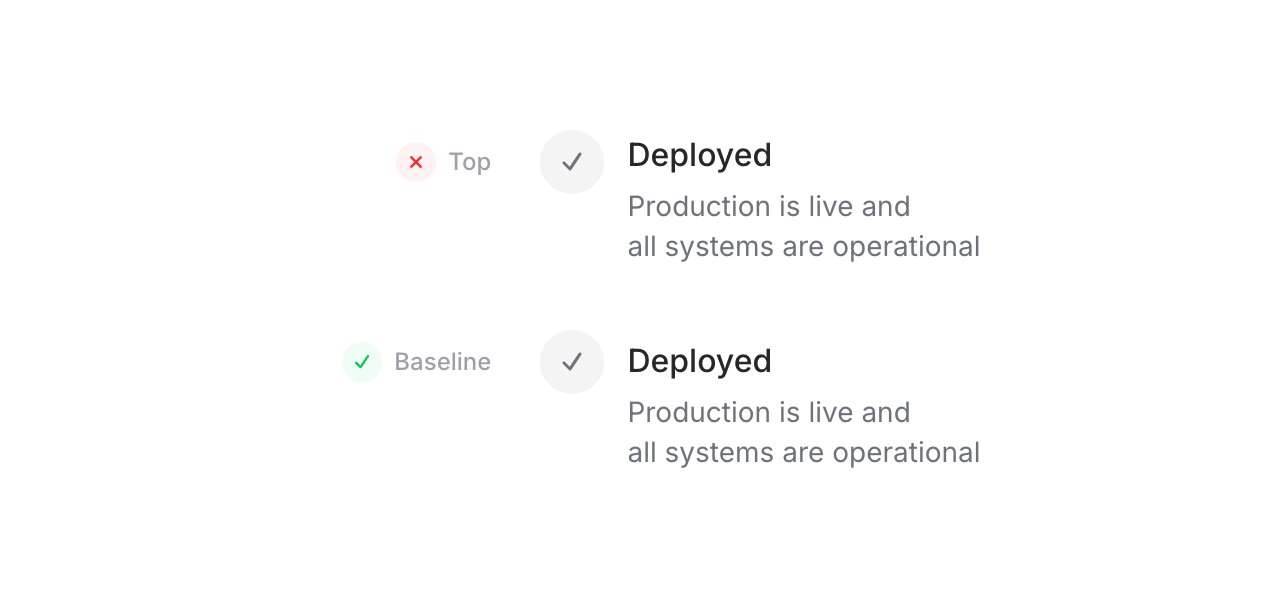
One detail we're particularly proud of: because the timeline uses CSS grid, we can align indicators to the baseline of the adjacent text — not top (too high), not center (too low), but right on the text baseline. For SVG icons, we even render an invisible text element inside the indicator solely to establish a proper baseline. It's a small thing, but it makes a real difference.
Copy to clipboard
<flux:timeline align="baseline"> <!-- ... --></flux:timeline>Embed anything with blocks
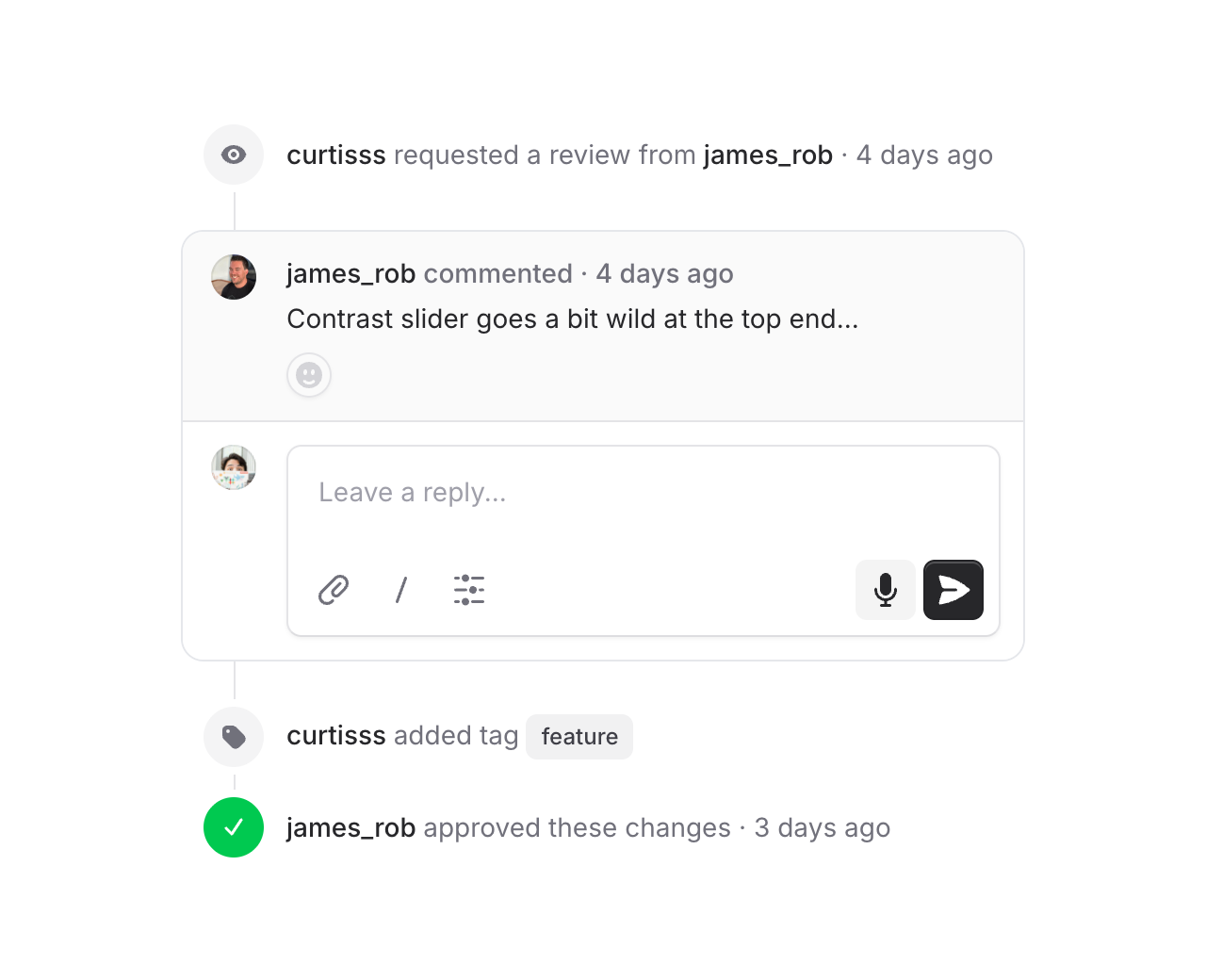
Use flux:timeline.block to drop full-width content into the timeline — callouts, cards, comment threads. Blocks go full-bleed while regular items stay slightly inset, so embedded content feels like it truly belongs in the flow. Connector lines attach directly to the block edges, and flux:timeline.subgrid lets content inside a block snap to the outer timeline's columns using CSS subgrid — so avatars, text, and indicators all stay perfectly aligned.
Accessibility
And of course, we went to great lengths to make sure this component honors expected keyboard navigation, focus behavior, and proper aria-labels so that screen readers can use it just as well.
February 27, 2026
Progress bar
Version ^2.13.0
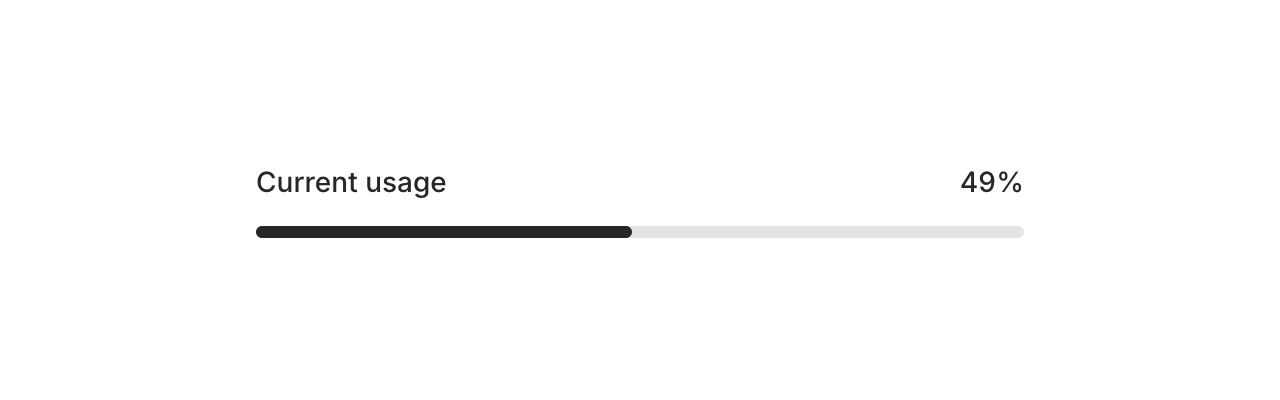
Meet the new Progress component — a simple, flexible progress bar for showing completion, upload status, or any value-over-max scenario in your app.
Copy to clipboard
<flux:progress value="75" />By default, the max is 100 and the bar uses your app's accent color. Let's take a look at what else it can do.
Custom max values
Not everything is a percentage. Use the max prop for custom scales — steps in a wizard, files in a batch, levels in a game, whatever:
Copy to clipboard
<flux:progress value="3" max="7" />Color and height

Override the fill color with the color prop, and adjust the height with a Tailwind class:
Copy to clipboard
<flux:progress value="75" color="purple" /><flux:progress value="75" class="h-3" />Dynamic binding
Bind the progress value to a Livewire property using wire:model so it updates in real-time:
Copy to clipboard
<flux:progress wire:model="progress" />This is perfect for long-running tasks like file uploads, data imports, or background jobs where you want to reflect server-side progress as it happens.
Accessibility
And of course, we went to great lengths to make sure this component honors expected keyboard navigation, focus behavior, and proper ARIA attributes so that screen readers can communicate progress status just as well.
February 9, 2026
Bar charts + chart builder
Version ^2.12.0
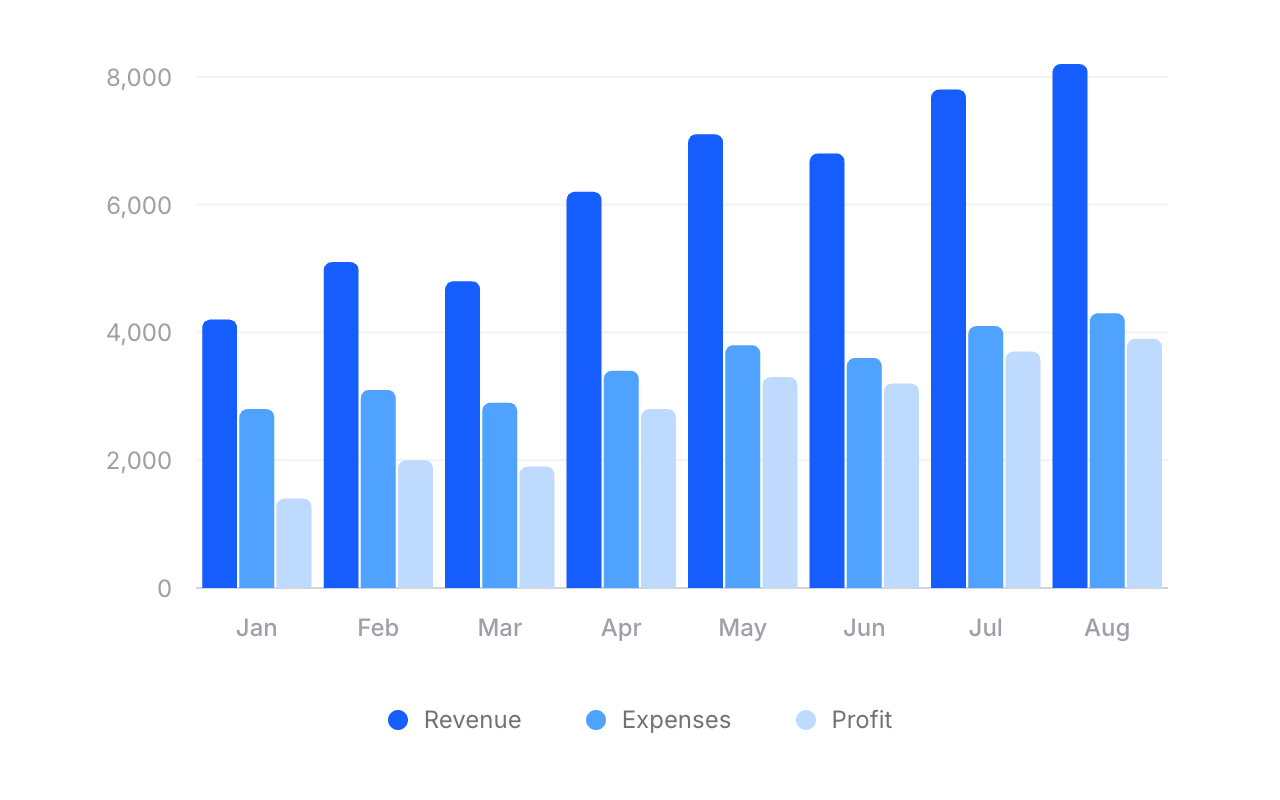
Flux charts just got a whole lot more powerful. As of v2.12.0, our chart component now supports bar charts — single bars, grouped bars, stacked bars, and even mixed line-and-bar charts.
We also built a dedicated chart builder → so you can visually design your chart and copy the code straight into your Blade templates.
Let's take a look.
Bars. Groups. Stacks.
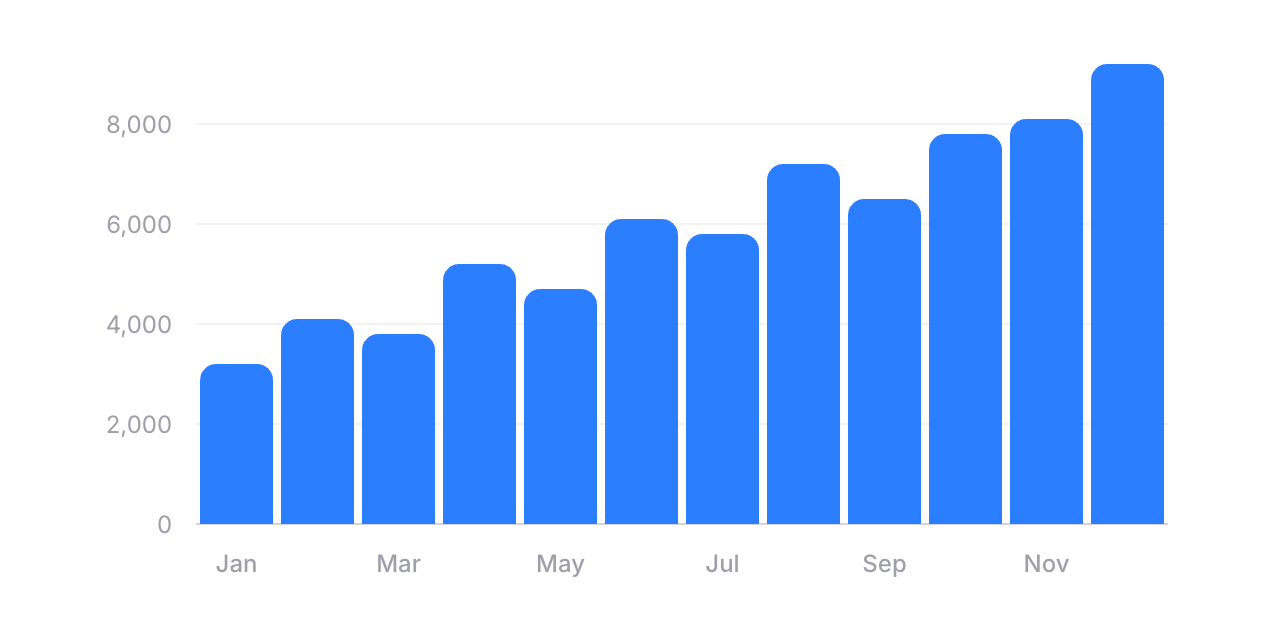
Adding a bar chart is as simple as swapping flux:chart.line for flux:chart.bar:
Copy to clipboard
<flux:chart wire:model="data" class="aspect-[3/1]"> <flux:chart.svg> <flux:chart.bar field="revenue" class="text-blue-500" /> <flux:chart.axis axis="x" field="date"> <flux:chart.axis.tick /> <flux:chart.axis.line /> </flux:chart.axis> <flux:chart.axis axis="y"> <flux:chart.axis.grid /> <flux:chart.axis.tick /> </flux:chart.axis> </flux:chart.svg></flux:chart>You can customize radius for rounded corners, width to control bar thickness, and min-height so small values still remain visible. Everything you'd expect.
Grouped bars
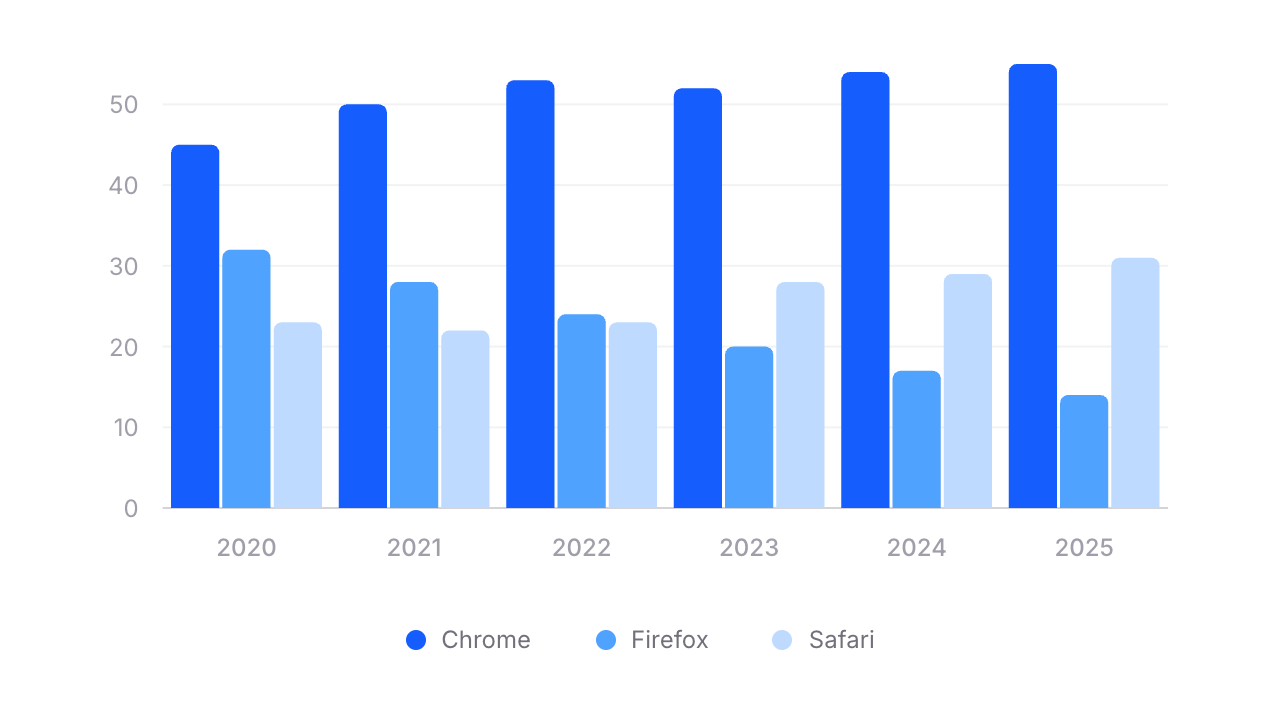
Need to compare multiple data series side by side? Wrap your bars in a flux:chart.group:
Copy to clipboard
<flux:chart wire:model="data"> <flux:chart.viewport class="aspect-[3/1]"> <flux:chart.svg> <flux:chart.group> <flux:chart.bar field="chrome" class="text-blue-600" /> <flux:chart.bar field="firefox" class="text-blue-500" /> <flux:chart.bar field="safari" class="text-blue-300" /> </flux:chart.group> <!-- ... axes ... --> </flux:chart.svg> </flux:chart.viewport> <div class="flex justify-center gap-4 pt-4"> <flux:chart.legend label="Chrome"> <flux:chart.legend.indicator class="bg-blue-600" /> </flux:chart.legend> <!-- ... --> </div></flux:chart>Stacked bars
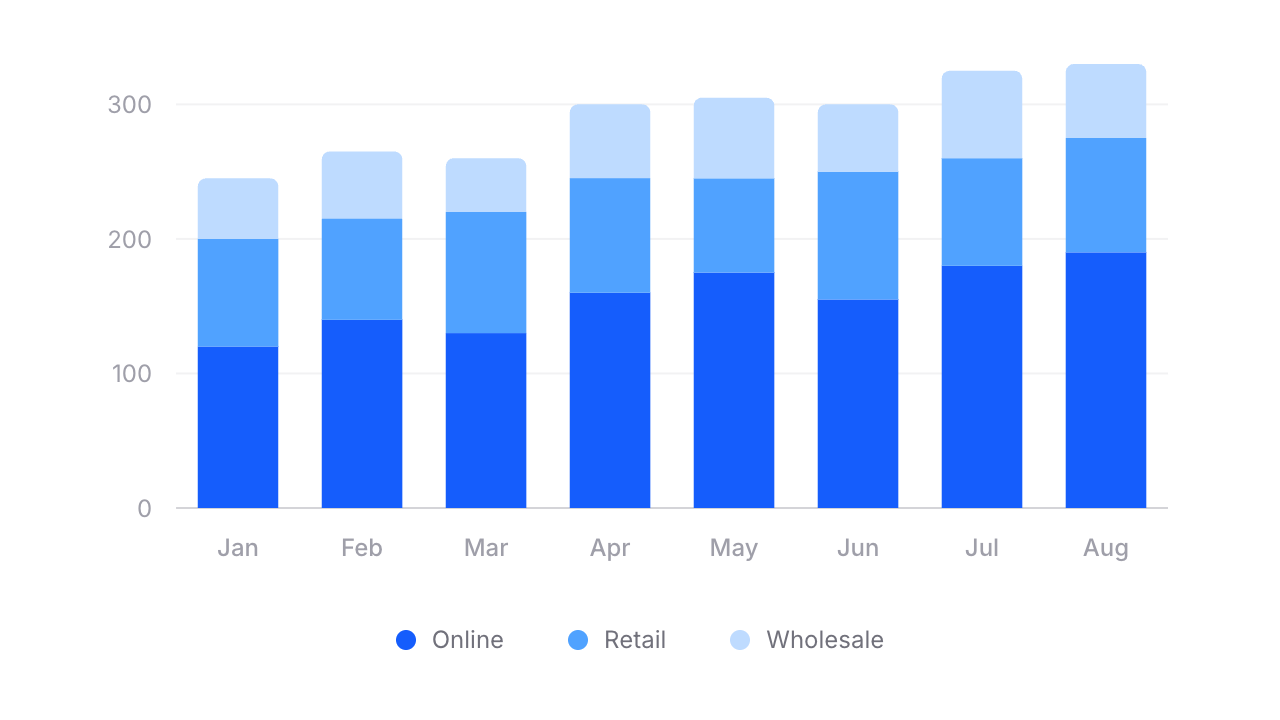
For stacked bars, swap flux:chart.group for flux:chart.stack:
Copy to clipboard
<flux:chart.stack width="65%"> <flux:chart.bar field="online" class="text-blue-600" /> <flux:chart.bar field="retail" class="text-blue-400" /> <flux:chart.bar field="wholesale" class="text-blue-300" radius="4 0" /></flux:chart.stack>Notice radius="4 0" on the last bar — that rounds only the top corners of the stack, giving it a clean, finished look.
Mix and match
Because Flux charts are fully composable, you can combine lines and bars in the same chart. Want a bar chart with a trend line overlaid? Just include both:
Copy to clipboard
<flux:chart wire:model="data"> <flux:chart.svg> <flux:chart.bar field="revenue" class="text-blue-300" /> <flux:chart.line field="trend" class="text-blue-600" /> <!-- ... --> </flux:chart.svg></flux:chart>No special config. No mode switching. Just composable components.
Build charts visually
Rather than fiddling with JSON configuration objects like most charting libraries, we built a chart builder where you can visually design your chart from start to finish. Pick a preset, configure your series, tweak axes and tooltips, then hit "Get code" and paste clean Blade markup straight into your project.